API Orbit 26.1 is here, and it brings some of the most requested improvements of the year.
This update focuses on making your workflow faster, more organized, and easier to document — whether you’re building APIs, testing integrations, or working with large collections.
Below we’ll walk through everything that’s new.
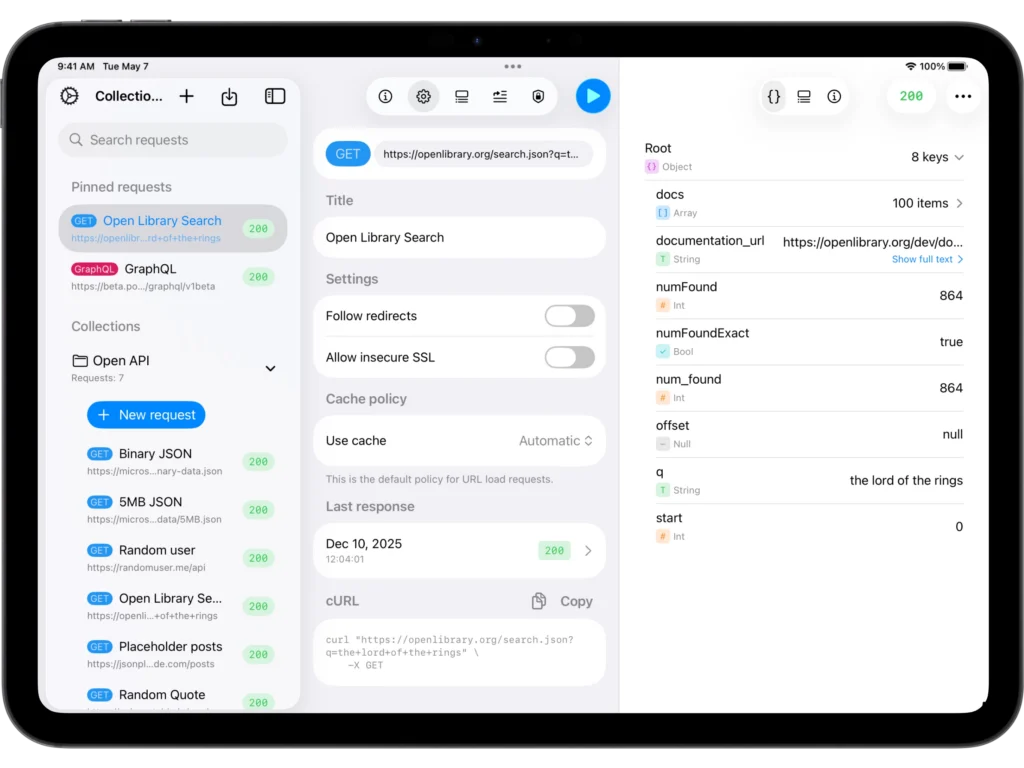
Pinned Requests — always at your fingertips
Working with dozens or hundreds of requests? Now you can pin the ones you use the most.
Pinned requests appear at the very top of your list, above all collections, giving you instant access no matter where you are.
You can pin or unpin a request in two ways:
1. Through the context menu
Right-click a request → select Pin.
2. By swiping left-to-right
Just swipe, tap Pin, and you’re done.
Swipe again to Unpin.
This small feature has a huge impact: your core requests are always one click away.
Search your requests by title or URL
Finding requests in large collections has never been easier.
API Orbit 26.1 introduces a smart search that instantly filters results by matching:
This makes navigation incredibly fast, especially in API-heavy environments.
Just start typing — and the list updates in real time.
Request Documentation — keep everything in context
API Orbit is becoming not just a request builder but a place where you can store knowledge about your API directly inside the request.
Each request now contains a dedicated Documentation section.
Where to find it
In the Request Builder, select the leftmost segment (“Documentation”).
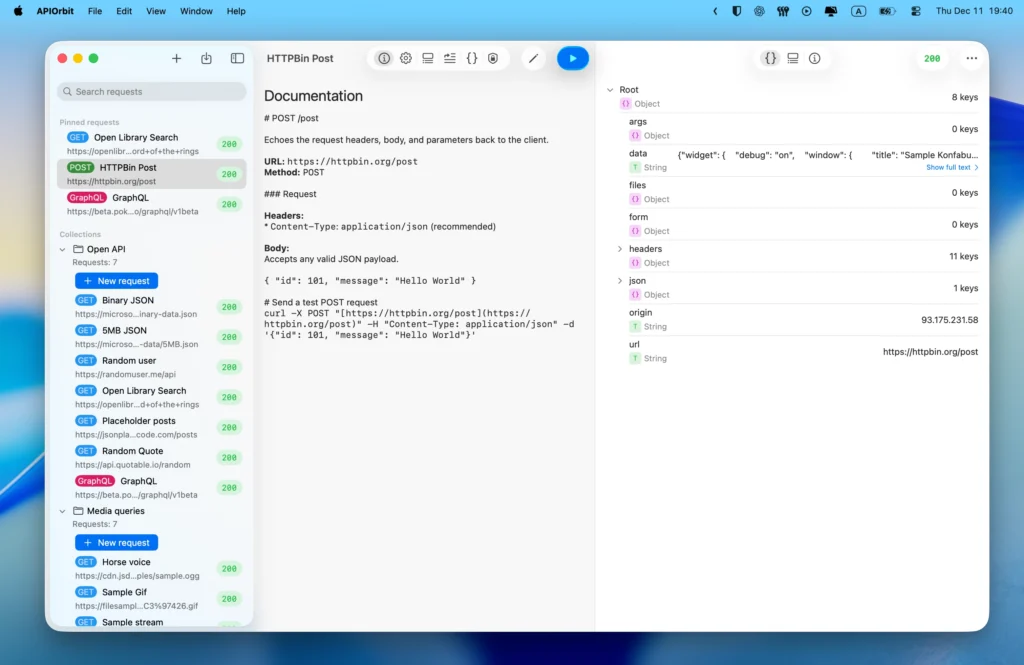
How editing works
Simply tap the edit icon (pencil) at the top, and a full editor will open.
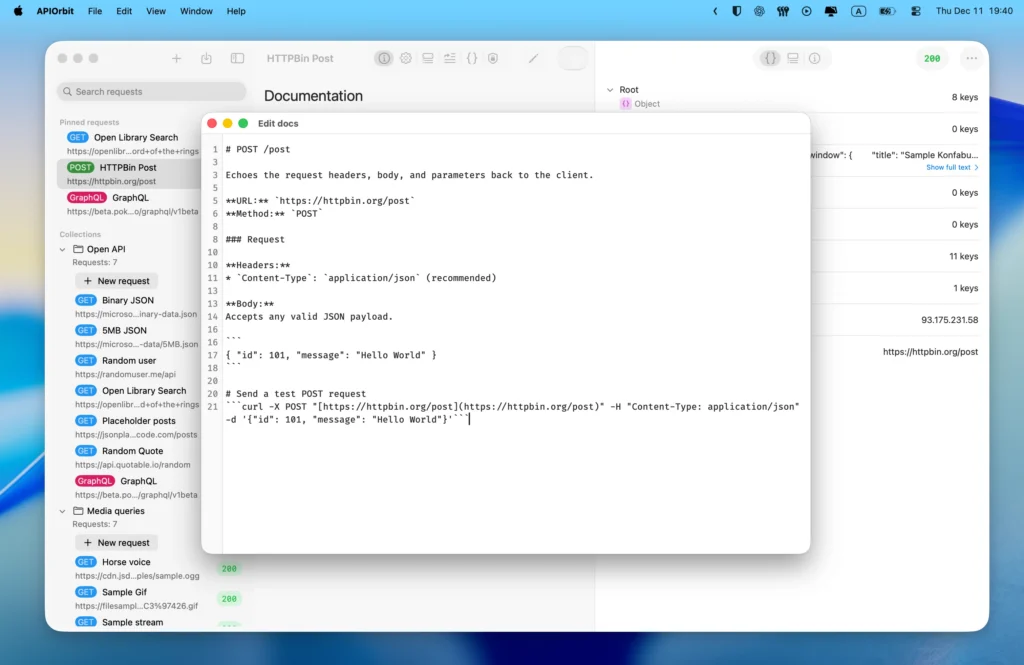
Documentation supports basic Markdown.
This is perfect for writing:
Bonus: Postman documentation import
If your Postman collection contains documentation, API Orbit now imports it automatically into the new documentation section.
One less migration step for you.
Fixes & improvements
We also fixed a rare issue that could cause the app to crash when deleting a request or an entire collection.
This is now fully resolved.
Thank you for being with us
API Orbit 26.1 is the final major release of 2025 — and what a year it was.
We’re incredibly grateful for your feedback, your ideas, and your support.
We have so many exciting things prepared for next year, so stay tuned.
See you in 2026!