
Meet APIOrbit 26.2 — cURL Import, JSON Search, and a Redesigned AI Assistant
APIOrbit 26.2 is here — and it's our most feature-packed update yet. From importing requests via cURL to a native PDF viewer, search inside JSON trees, and a completely redesigned AI assistant — this release touches every part of your workflow.
Let's walk through everything that's new.
Import from cURL
If you've ever copied a cURL command from browser DevTools, documentation, or a teammate's message — you can now paste it directly into APIOrbit.
Tap the import button in the sidebar, and APIOrbit will parse the full cURL command: URL, method, headers, body, authentication — everything is extracted and mapped into a new request automatically. No manual retyping, no missed headers.
It works with single-line and multi-line cURL commands, including quoted strings, escaped characters, and line continuations. Just paste and go.
Auto-display last saved response
Here's a small change that makes a big difference. When you select a request that has a saved response, APIOrbit now shows that response immediately — no need to tap anything or re-send the request.
You open a request, and the last response is already there: status code, headers, body, JSON tree — everything ready for review. It's especially useful when you're switching between requests to compare responses or check something you tested earlier.
If you want a fresh response, just hit Send as usual. The saved response is a starting point, not a limitation.
Search in JSON tree
Working with large JSON responses just got a lot easier. You can now search directly inside the JSON tree view — find any key or value instantly, no matter how deeply nested.
The search bar appears at the bottom of the tree. Type your query, and APIOrbit highlights every match across the entire tree structure. Use the navigation arrows to jump between results — each match auto-expands its parent nodes so you can see the full context without manually digging through the hierarchy.
Whether you're looking for a specific field in a 5,000-line response or tracking down a value you know is buried somewhere — it's now a few keystrokes away.
Native PDF viewer
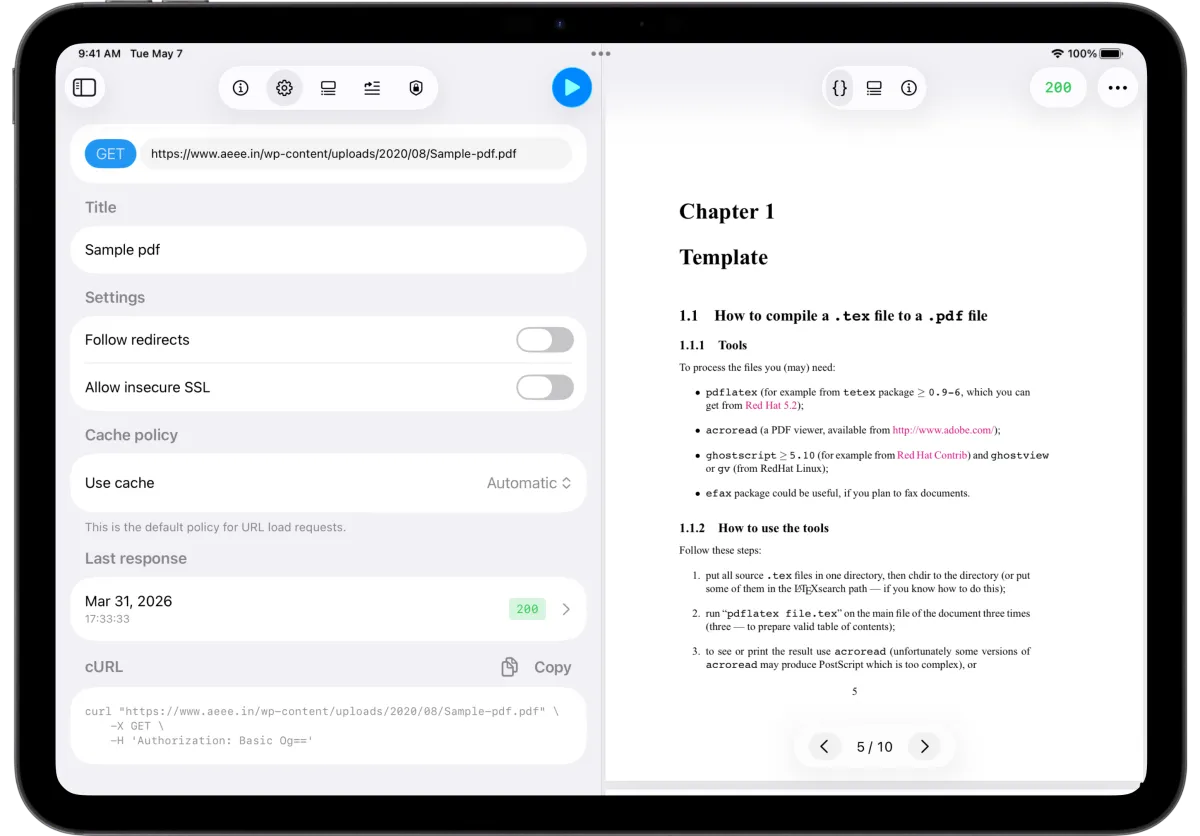
API responses aren't always JSON. When your API returns a PDF — an invoice, a report, a generated document — APIOrbit now renders it natively with a built-in PDF viewer.
You get page navigation, smooth scrolling, and a clean reading experience without leaving the app. No need to export the file and open it elsewhere. The PDF viewer sits right where you'd expect it — in the response body, alongside the other body types like JSON tree, raw text, and hex.
Redirect chain metrics
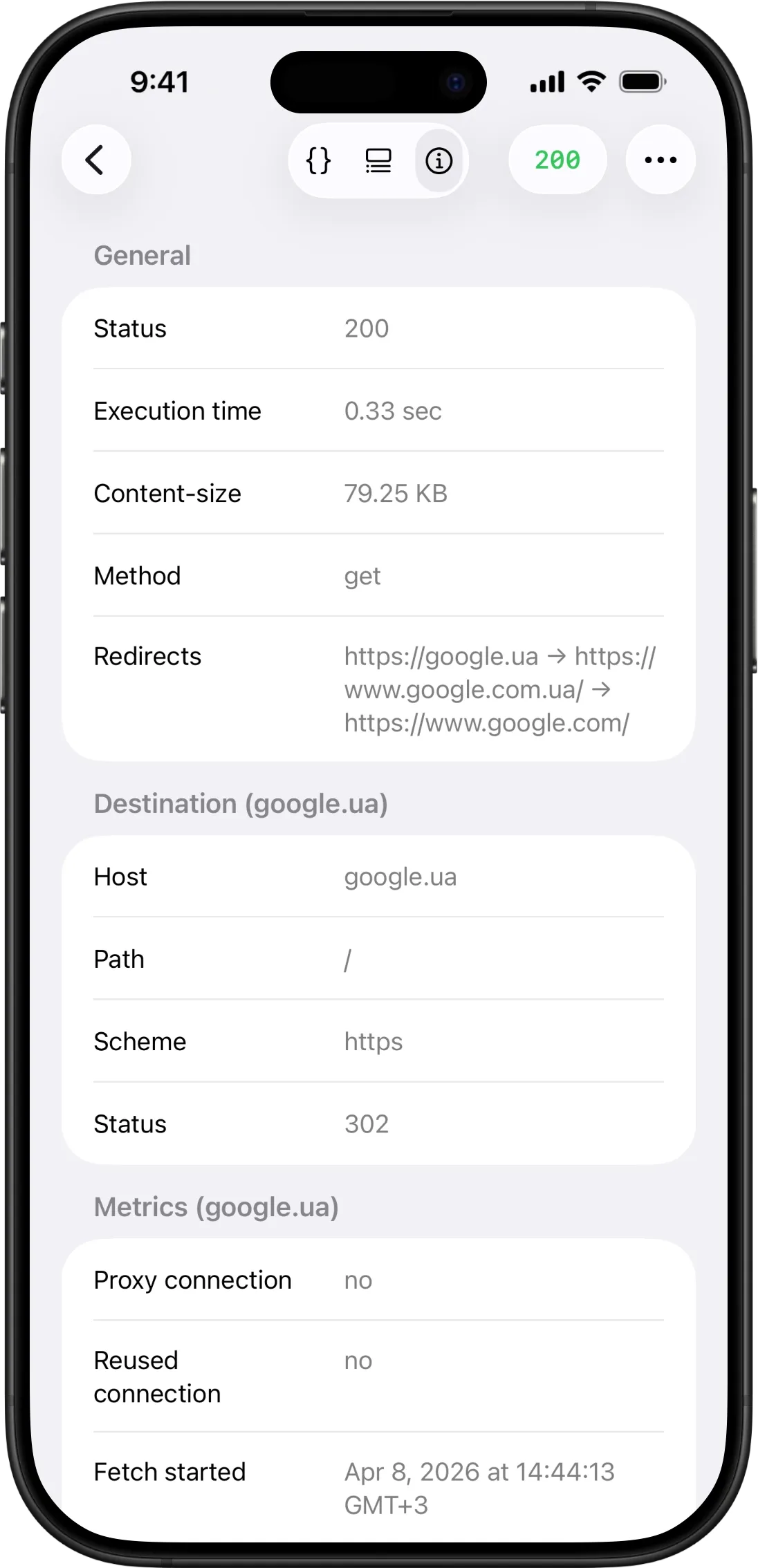
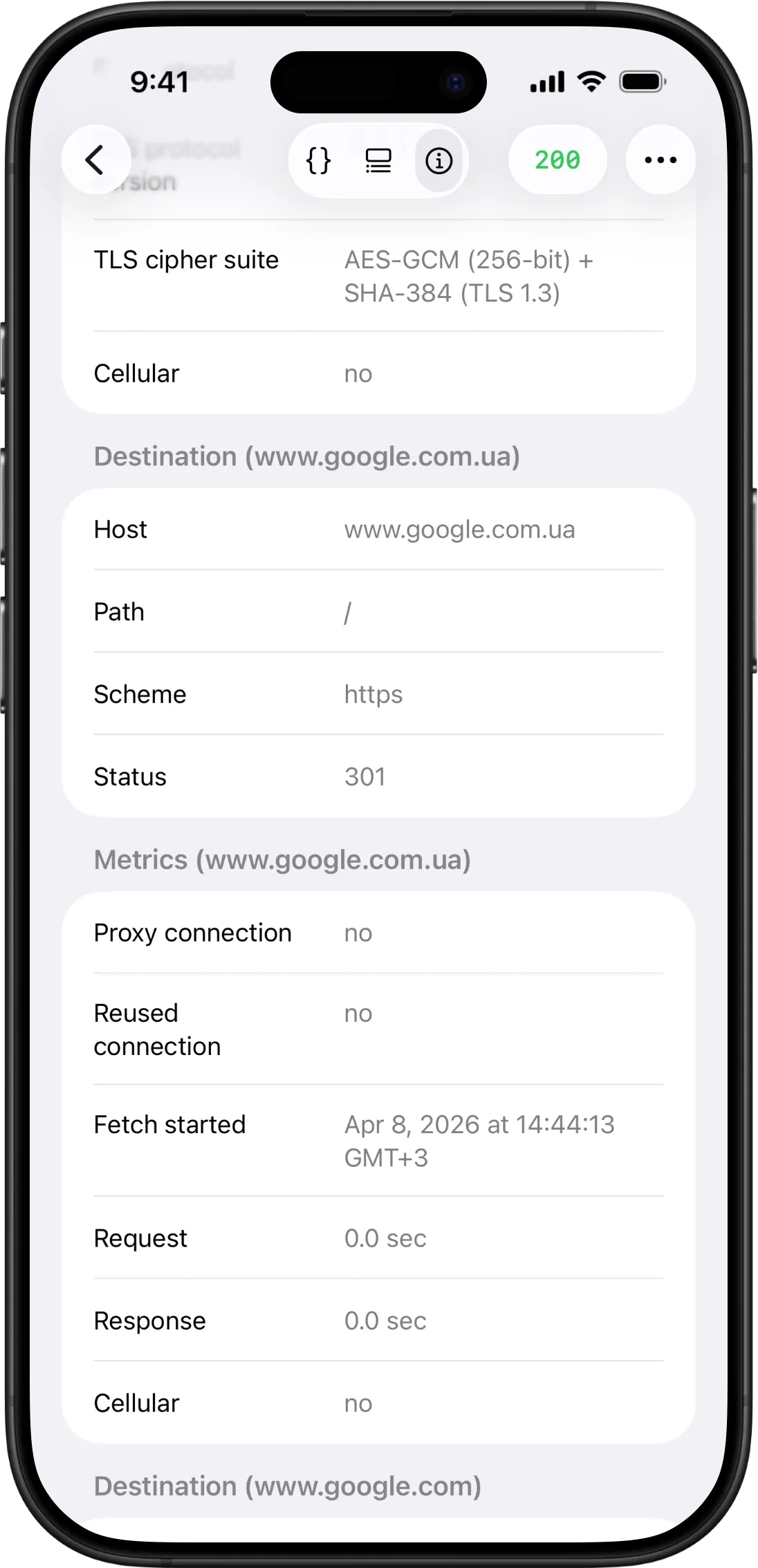
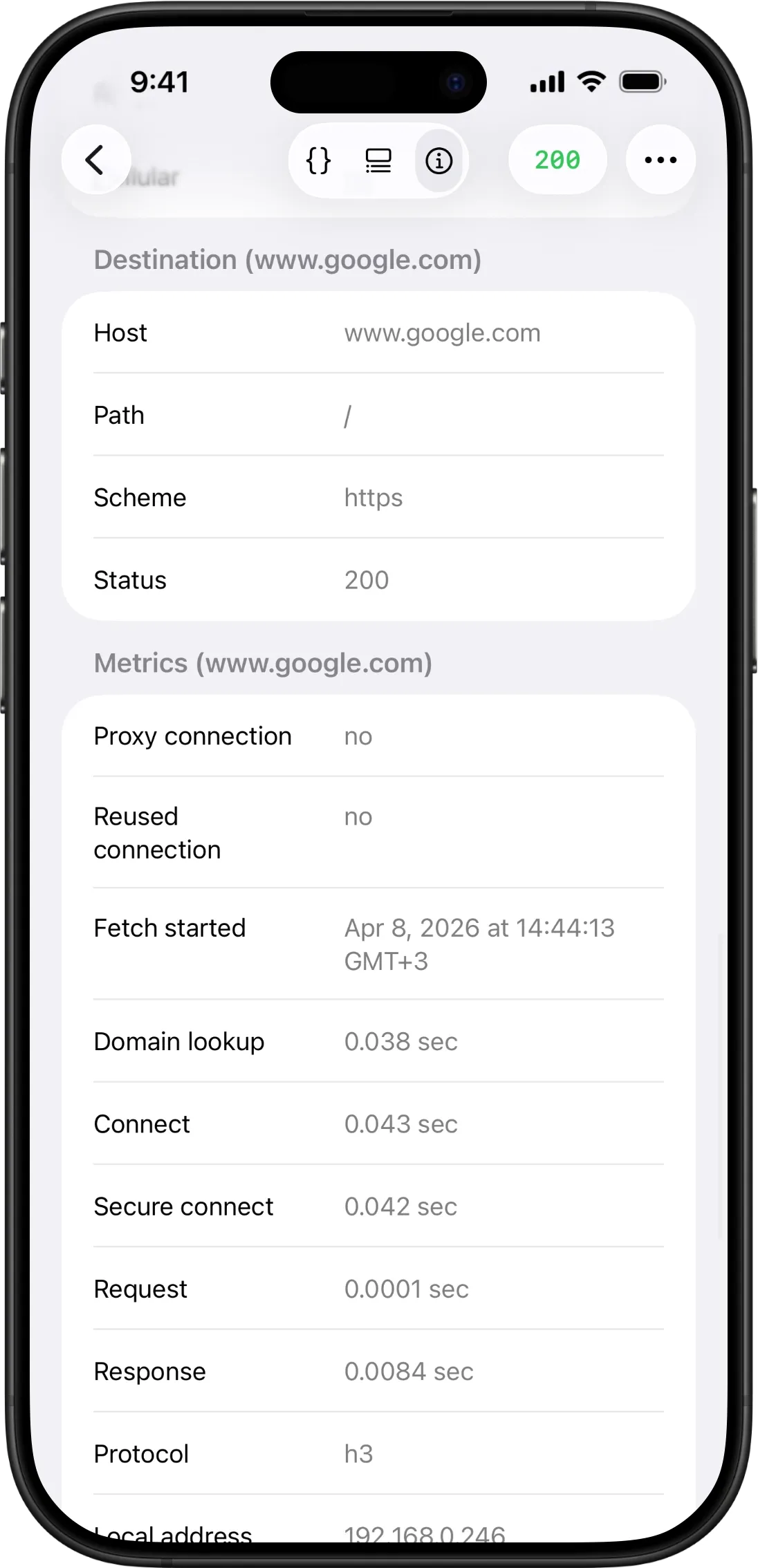
When your request goes through redirects, you now get full metrics for every single step in the chain — not just the final response.
Switch to the Info tab, and you'll see each transaction listed separately: its destination URL, status code, timing breakdown (DNS lookup, TLS handshake, request, response), network protocol, local and remote addresses, and TLS details. Every redirect is fully transparent.
This is invaluable for debugging redirect loops, understanding latency distribution across hops, or verifying that your CDN or load balancer is routing correctly.
Redesigned AI assistant
The AI assistant has been completely redesigned for two of its most popular features: model generation and mock data generation.
Model generation
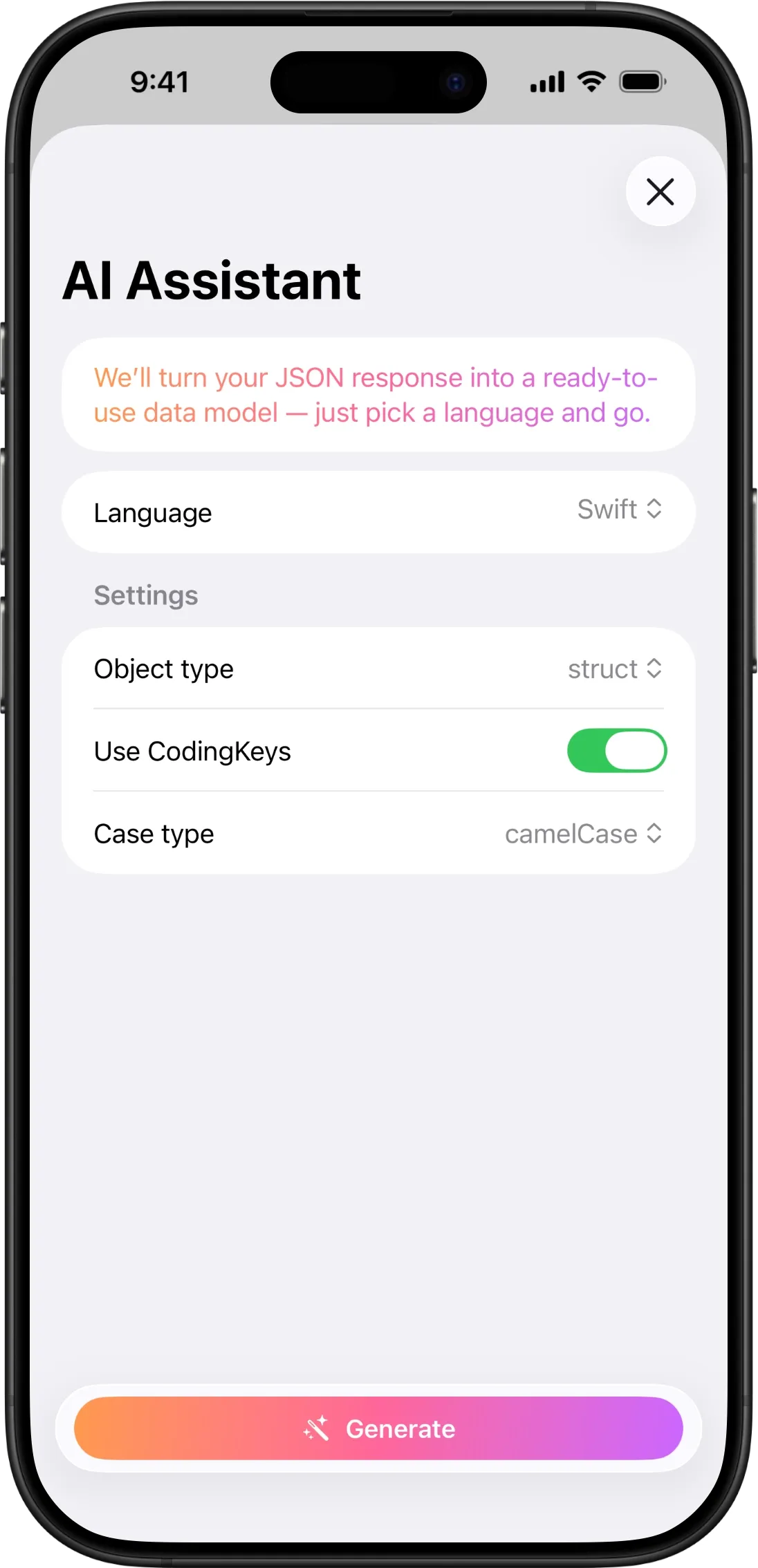
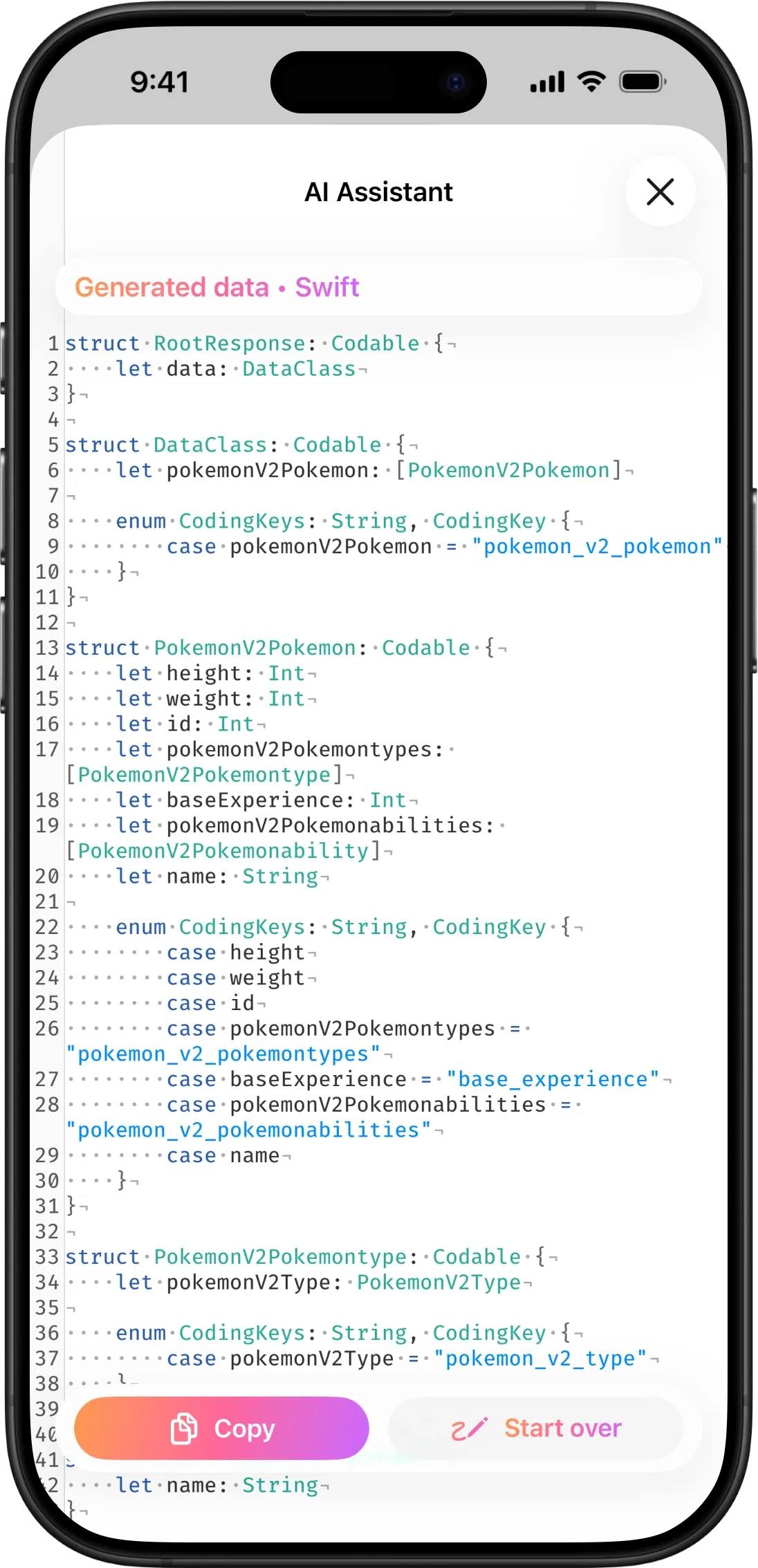
The model generation flow now gives you a dedicated workspace. Pick your language — Swift, TypeScript, Kotlin, Java, Python, C#, Go, Rust, or Dart — configure language-specific settings, and generate production-ready data models from any JSON response. The result appears in a syntax-highlighted editor where you can review, copy, and start over if needed.
The entire flow feels more intentional: input on one side, result on the other, with clear actions at every step.
Mock data generation
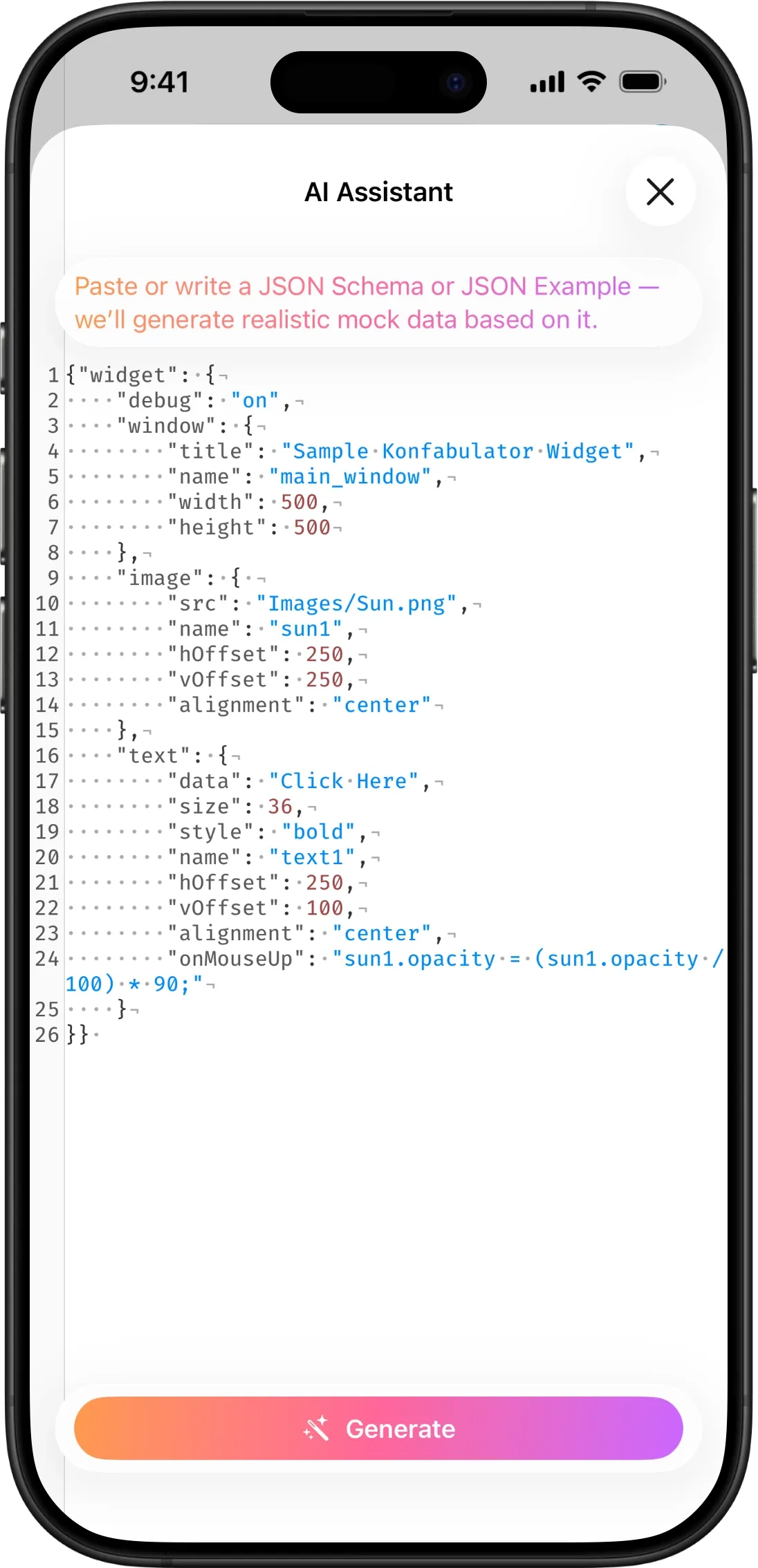
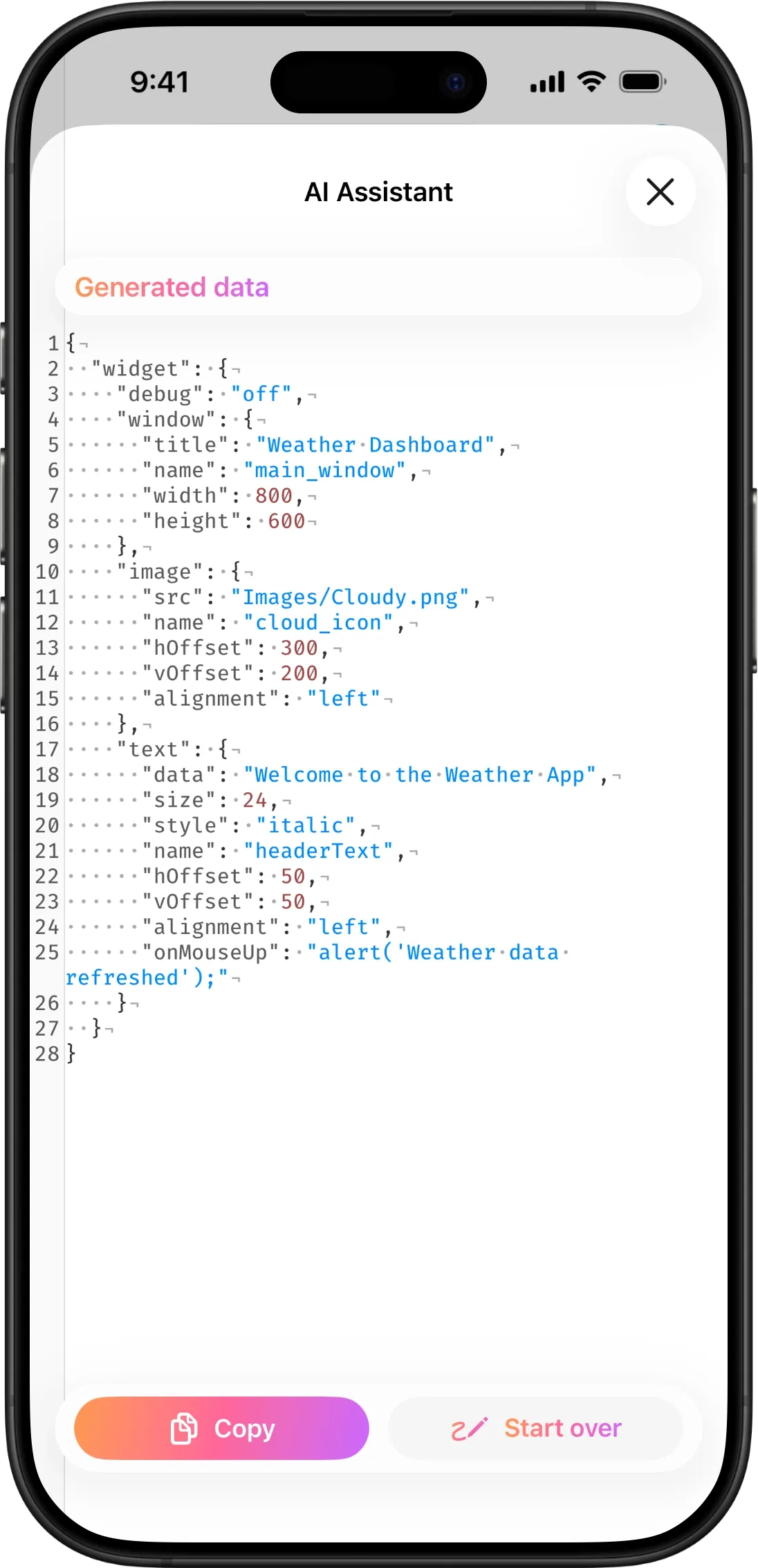
Generating mock request bodies works the same way. Describe your schema or paste an example, tap Generate, and the AI creates a realistic mock body you can use immediately. The new layout gives you a proper editor for both the input schema and the generated result — no more cramped text fields.
Both features use the same glass-bar design language: a top bar showing what you're working on, a bottom bar with your actions, and the editor content scrolling freely behind both.
New keyboard toolbar (iOS & iPadOS)
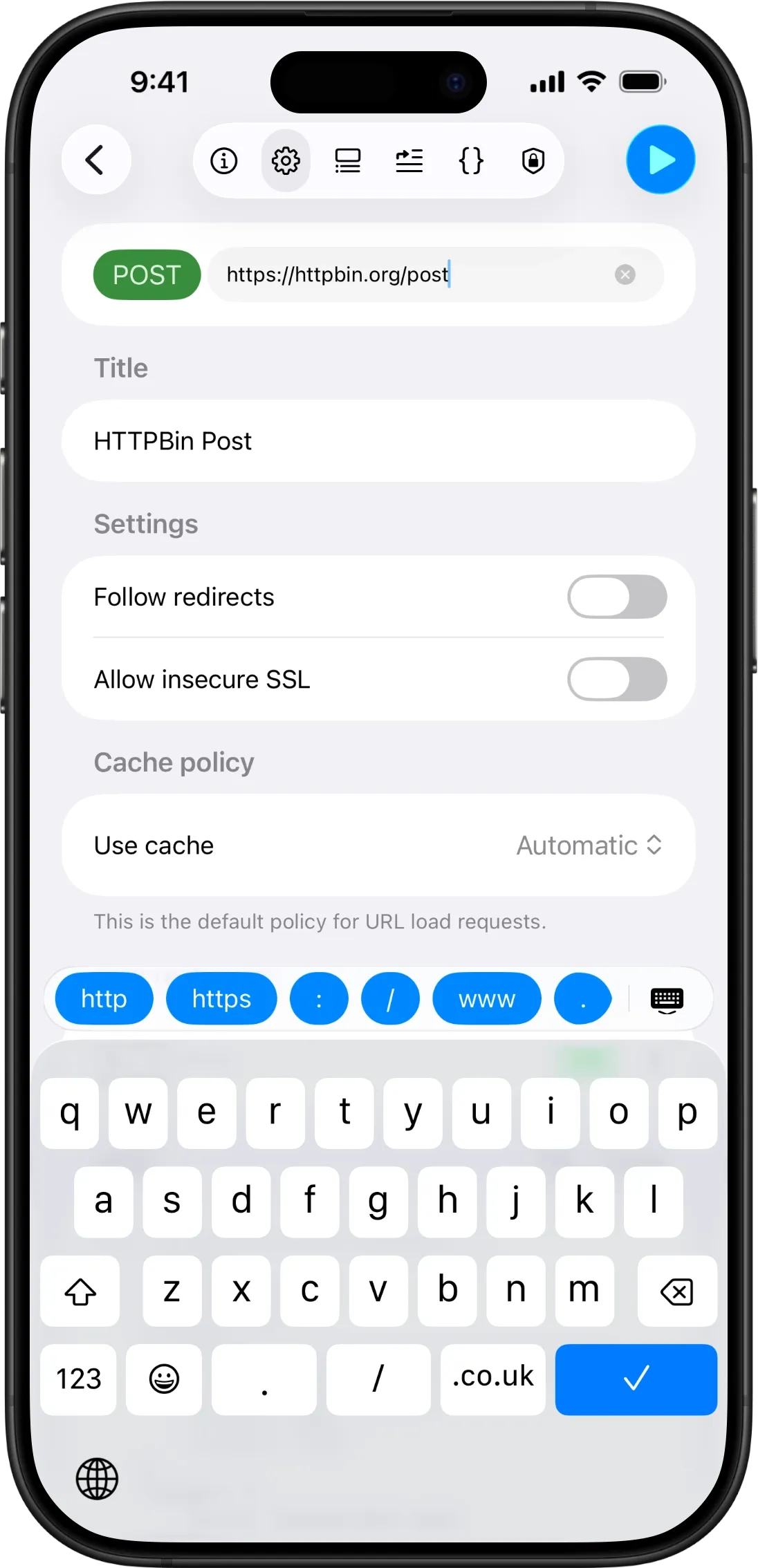
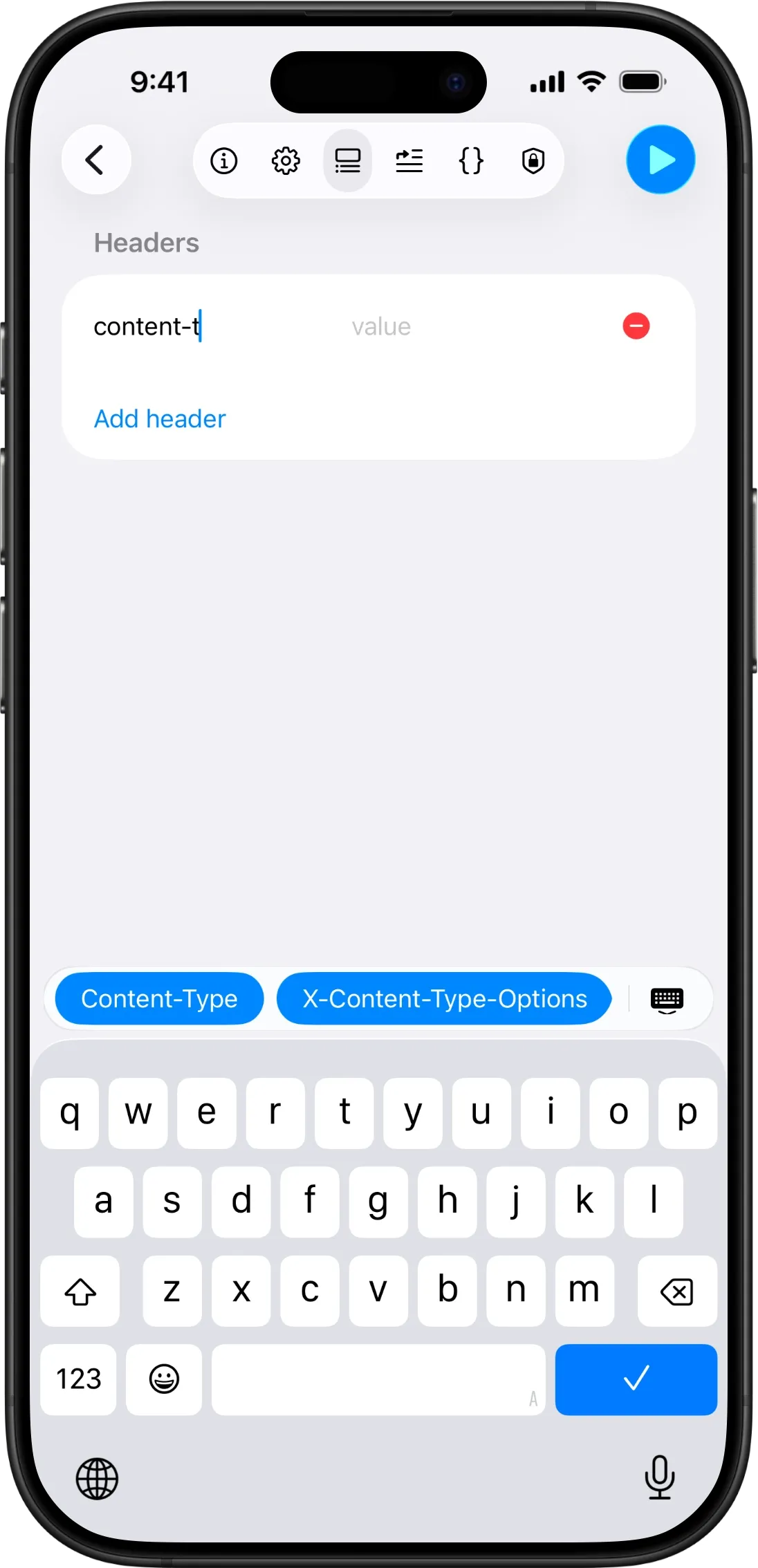
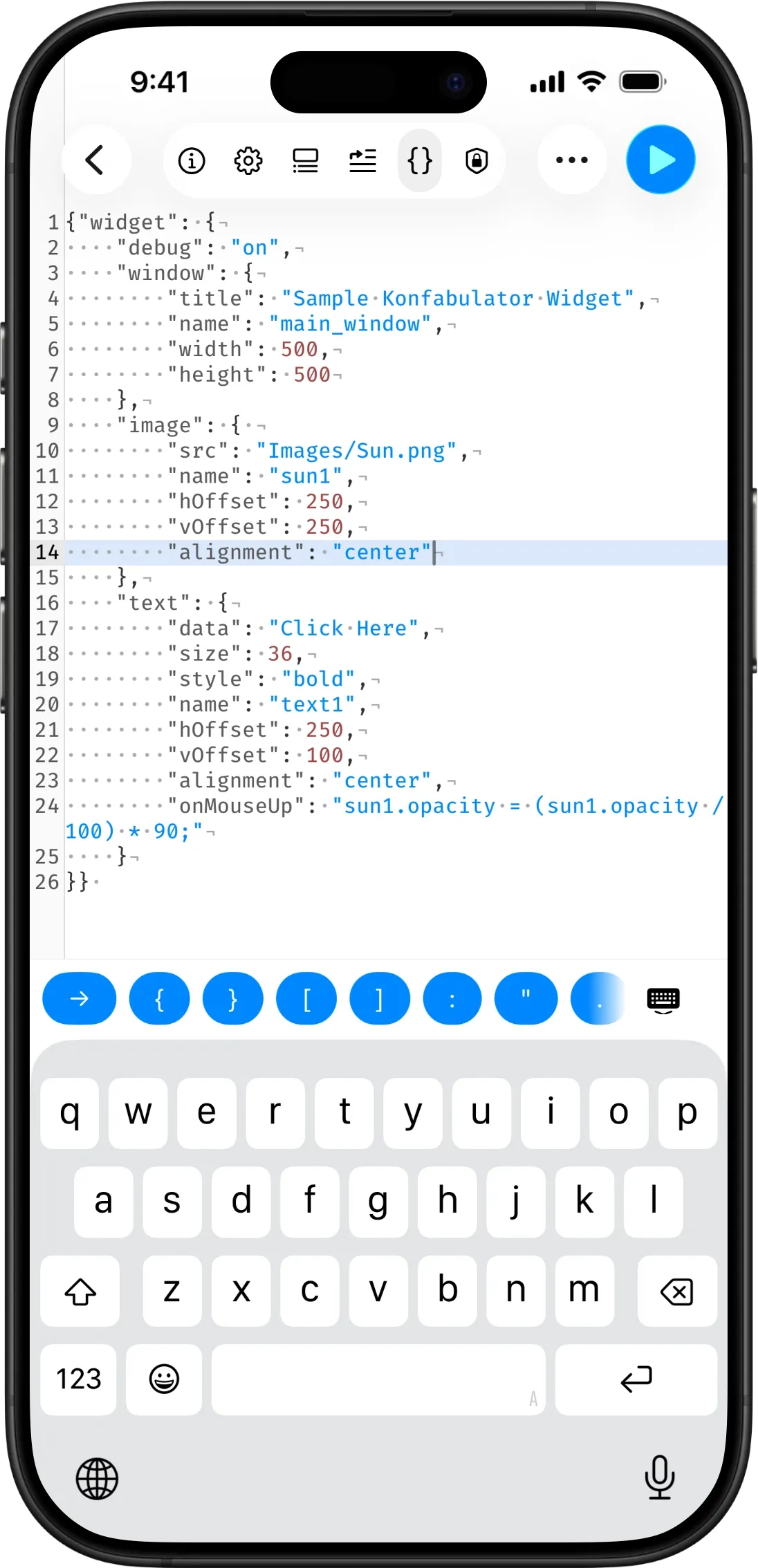
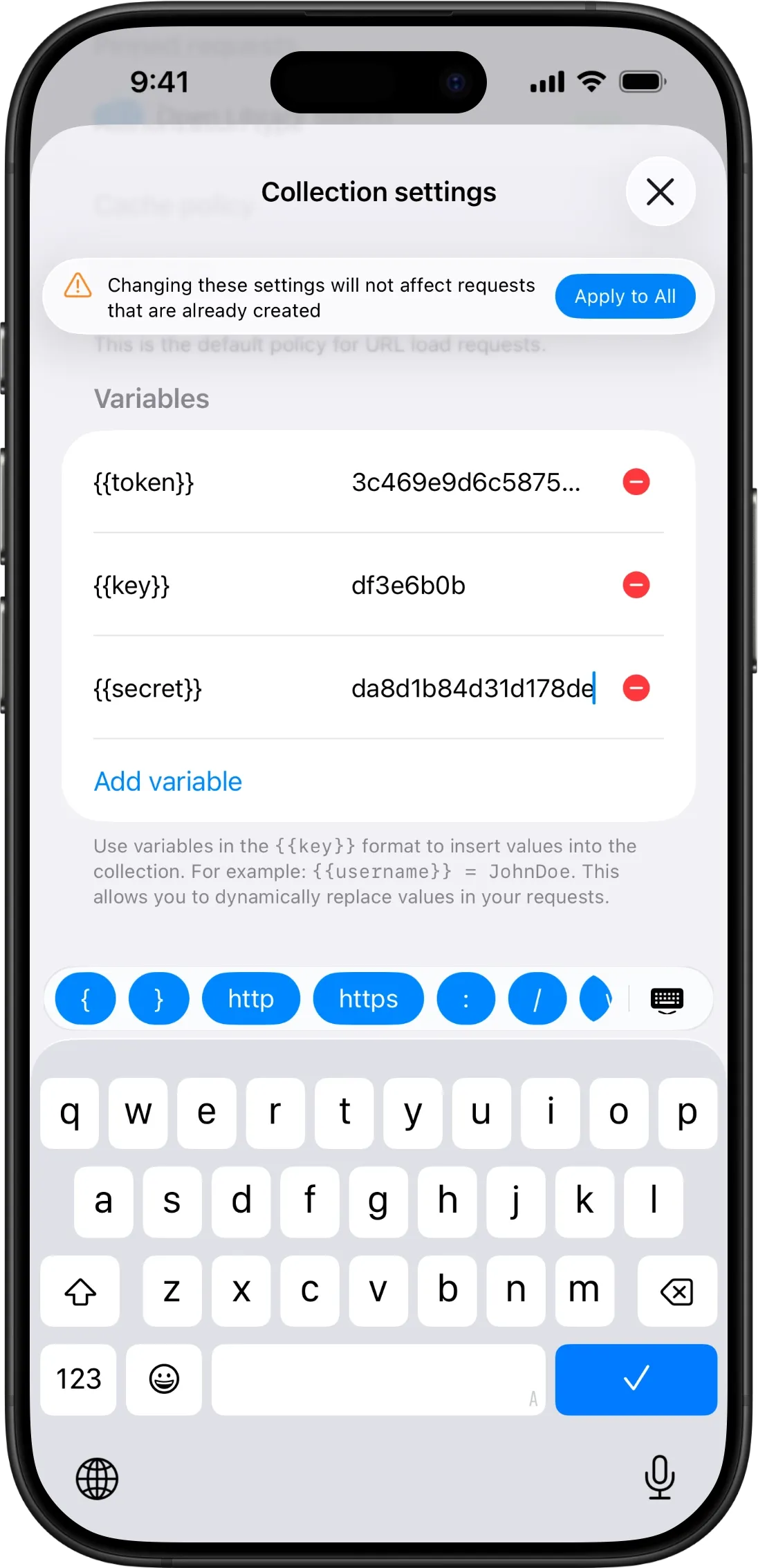
The keyboard toolbar — the suggestion bar that appears above the keyboard — has been completely rebuilt.
On iOS 26, it now appears as a floating glass capsule that feels right at home with the new system design. On older iOS versions, it's a clean full-width bar. Both versions show context-aware suggestions: variable names when editing fields that support variables, common URL fragments when typing a URL, HTTP header values when editing headers, and GraphQL keywords when writing queries.
It's a small touch that saves a surprising amount of time, especially on iPhone where every tap counts.
Fixes & improvements
Beyond the headline features, this update includes numerous stability improvements and bug fixes across all platforms. The response viewer, request builder, and collection management have all received attention under the hood.
APIOrbit 26.2 is available now on the App Store for iPhone, iPad, Mac, and Apple Vision Pro. As always, thank you for using APIOrbit and for the feedback that shapes every update. There's more to come.