
Meet APIOrbit 26.3 — Test Your APIs, Right on Your Device
Sending a request and eyeballing the response is fine once. But when you're checking the same endpoint after every change — or making sure nothing broke before you ship — "looks right to me" stops being good enough.
With APIOrbit 26.3, you no longer have to squint at JSON to know whether a response is correct. Just tell APIOrbit what you expect, and it checks every response for you — automatically, on every run, on every device. No scripts, no extra tools, no leaving the app.
Let's dig in.
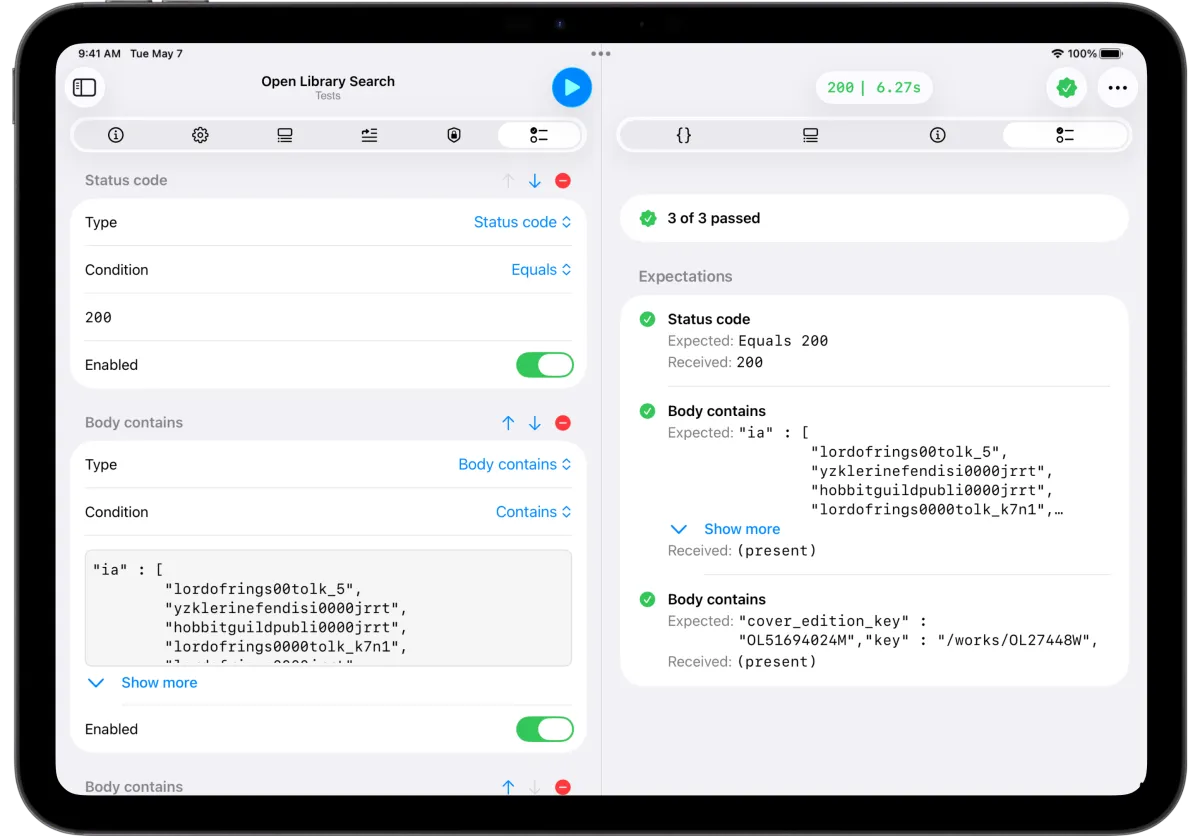
Expectations: a checklist for every request
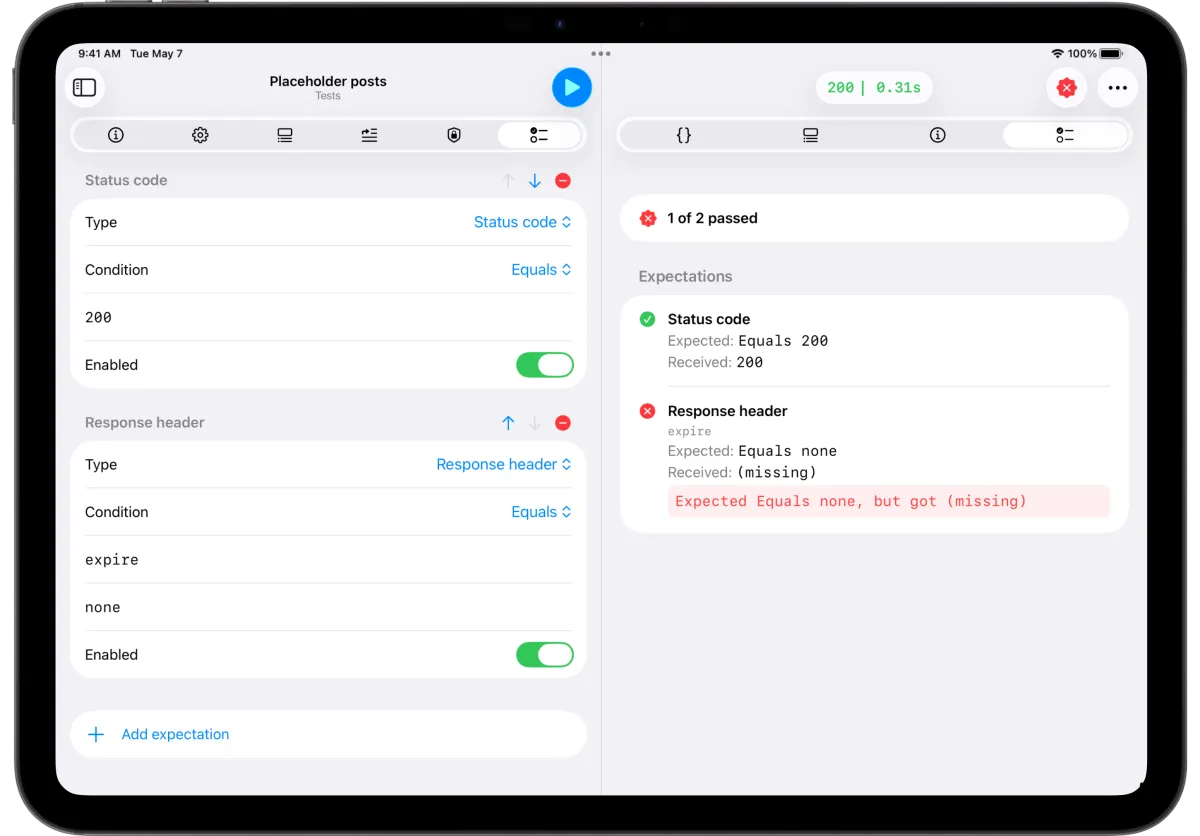
At the heart of the new testing system is the expectation — a single rule a response has to satisfy. Open the new Tests tab in the request builder and add as many as you like. You can check:
- Status code — e.g. is it exactly
200? - Response time — did it come back in under, say, 500 ms?
- Headers — does
Content-Typecontainapplication/json? - JSON values via JSONPath — is
$.user.idequal to the value you expect, or does a field simply exist? - Body contents — does the response body contain a fragment, match it exactly, or is it empty?
Each expectation gets the operators that actually make sense for it — equals, greater than, contains, exists, and more — so you're never picking nonsense combinations.
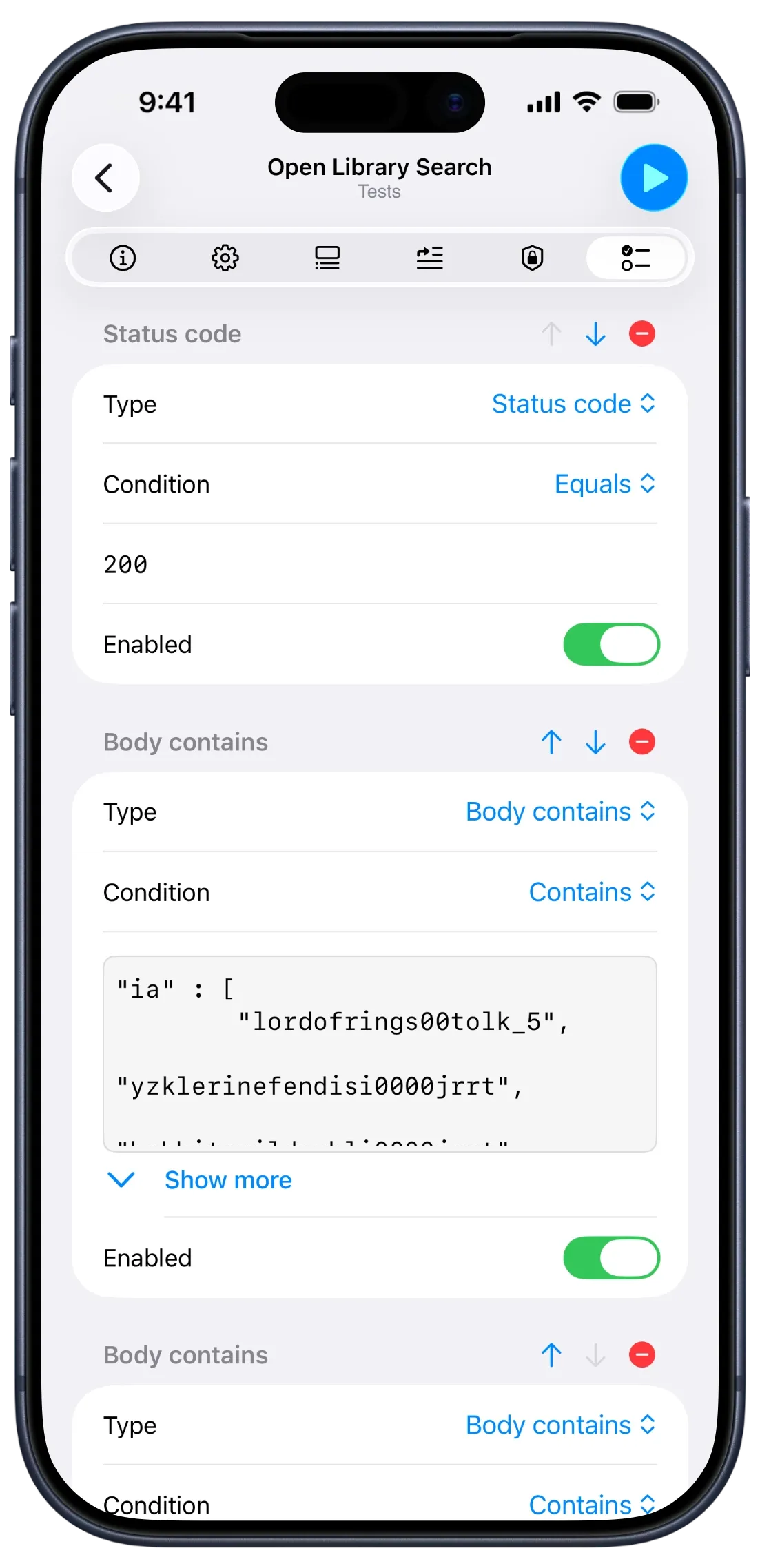
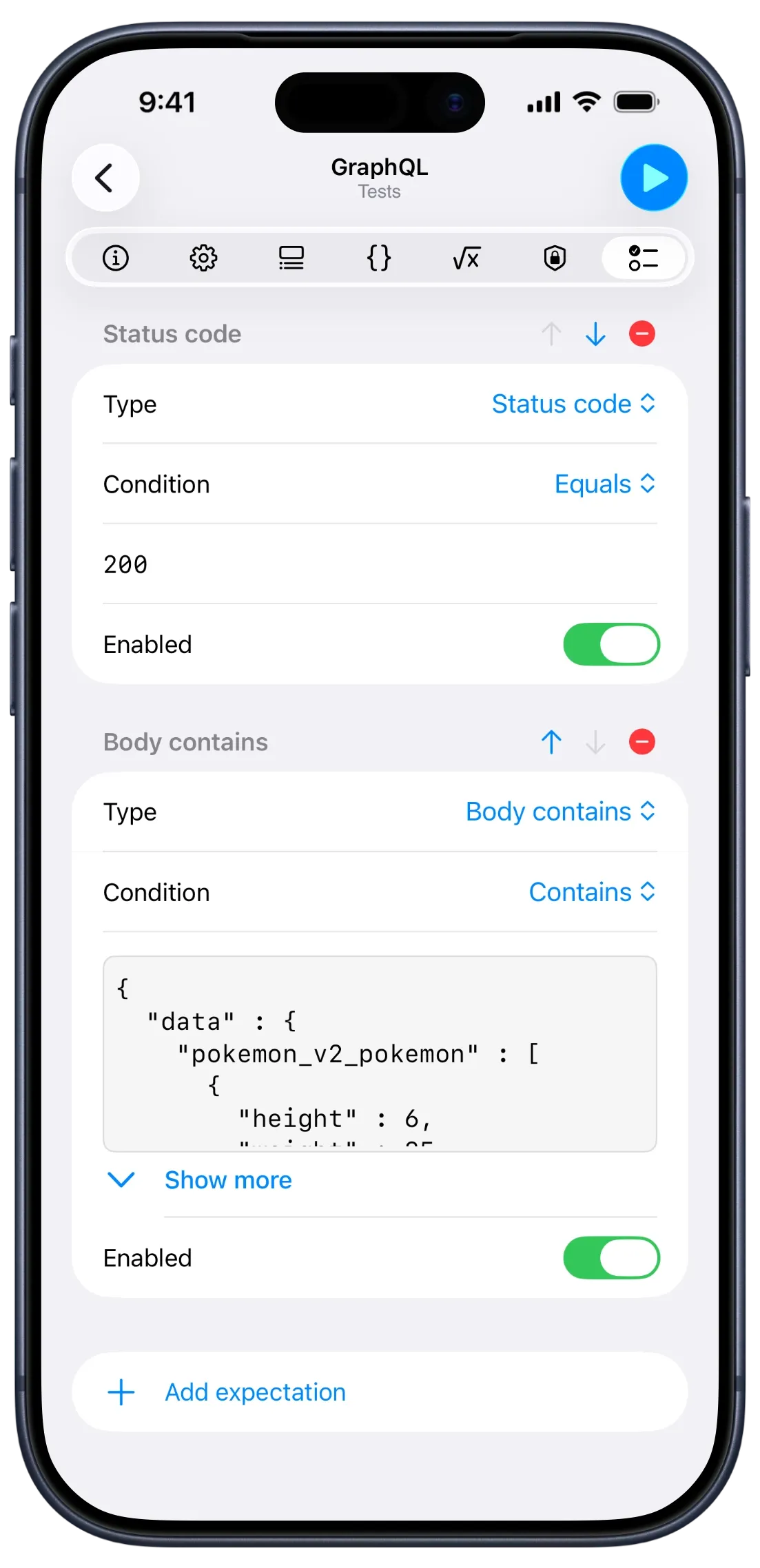
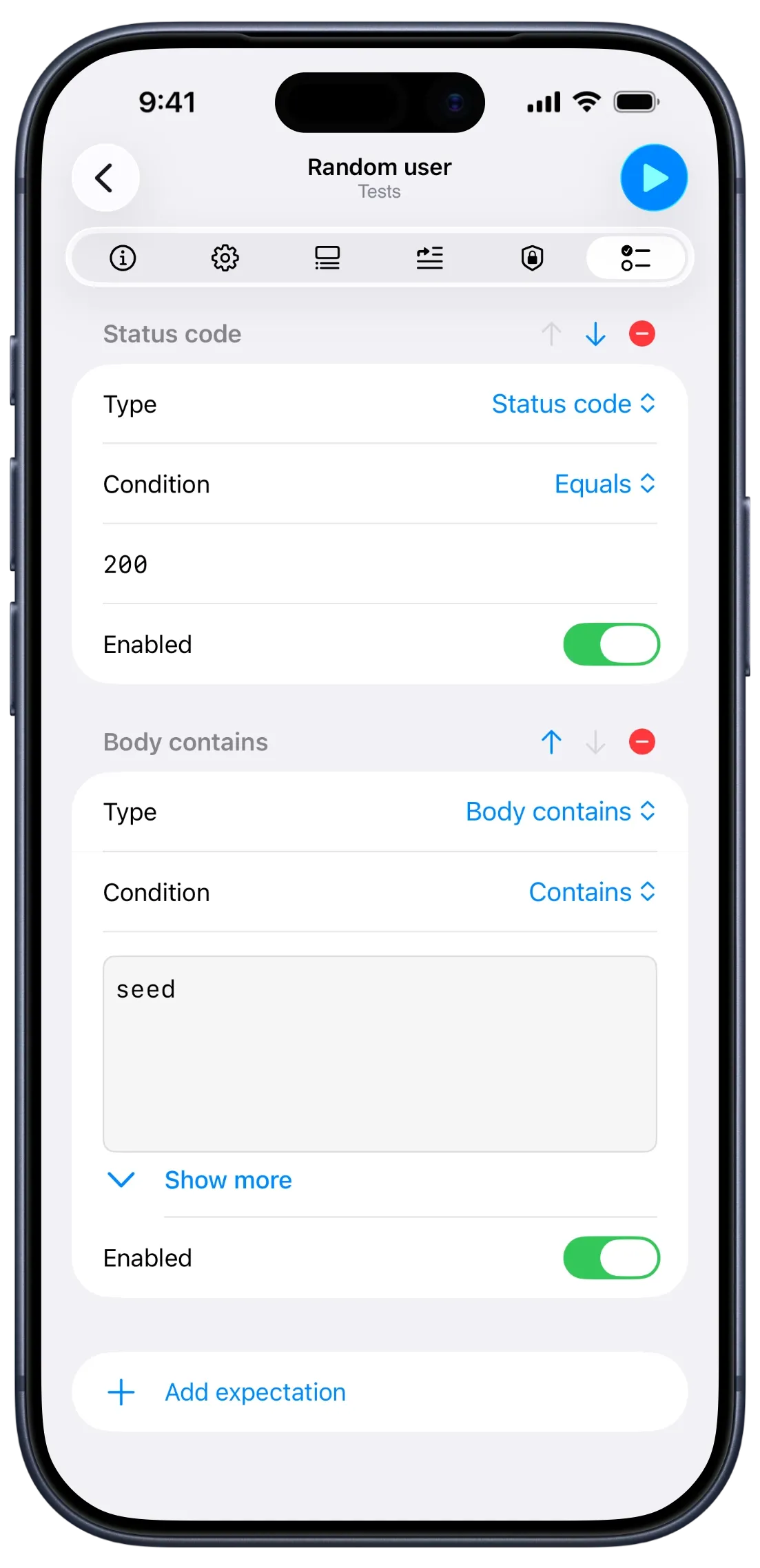
Smart body matching that understands your data
This is the part we're most proud of. Comparing response bodies naively breaks the moment a server reorders its JSON keys or adds whitespace. APIOrbit's matching is content-type aware:
- JSON is compared structurally. Key order doesn't matter, at any depth. Numbers are tolerant (
85and85.0match). And "Body contains" means real partial matching — your fragment can describe just the parts you care about, and the rest of the response can be anything. - XML, HTML, and SVG are normalized for insignificant whitespace before comparing, so formatting differences don't trip you up.
- Plain text is matched literally, exactly as you'd expect.
In other words: you assert what the data means, not how the server happened to format it today.
Instant pass or fail, right on the response
Run a request and you get an immediate verdict. A pass/fail seal appears right next to the status, so you know at a glance whether everything checked out.
Want the details? A dedicated Tests tab on the response lays out every expectation with exactly what was expected vs. what came back — so when something fails, you see why in seconds, not after digging through the whole payload.
Run a whole collection at once
Single requests are great, but real confidence comes from checking everything. The new Run all tests action takes an entire collection and runs every request in order, evaluating its expectations as it goes.
You get live progress, the option to cancel at any time, and a clean summary at the end — passes, failures, and requests skipped because they have no expectations yet. It's the closest thing to a regression suite you can run from your phone.
Built for the way you already work
Testing lives right where you build requests — no separate mode, no context switching. Your expectations are saved with each request and sync across your devices via iCloud, just like everything else in APIOrbit. Set up a test on your Mac, run it from your iPhone.
API testing is part of APIOrbit Pro.
Fixes & improvements
Alongside the new testing system, 26.3 includes a round of bug fixes and performance improvements across the app to keep everything fast and smooth.
Thank you for being with us
APIOrbit keeps growing because of the developers who use it every day and tell us what they need next — and testing has been one of the most requested features. We hope it makes your workflow a little faster and a lot more reliable.
If you enjoy the update, a rating or review on the App Store genuinely helps us keep building. As always, this is just the beginning — there's more on the way.